
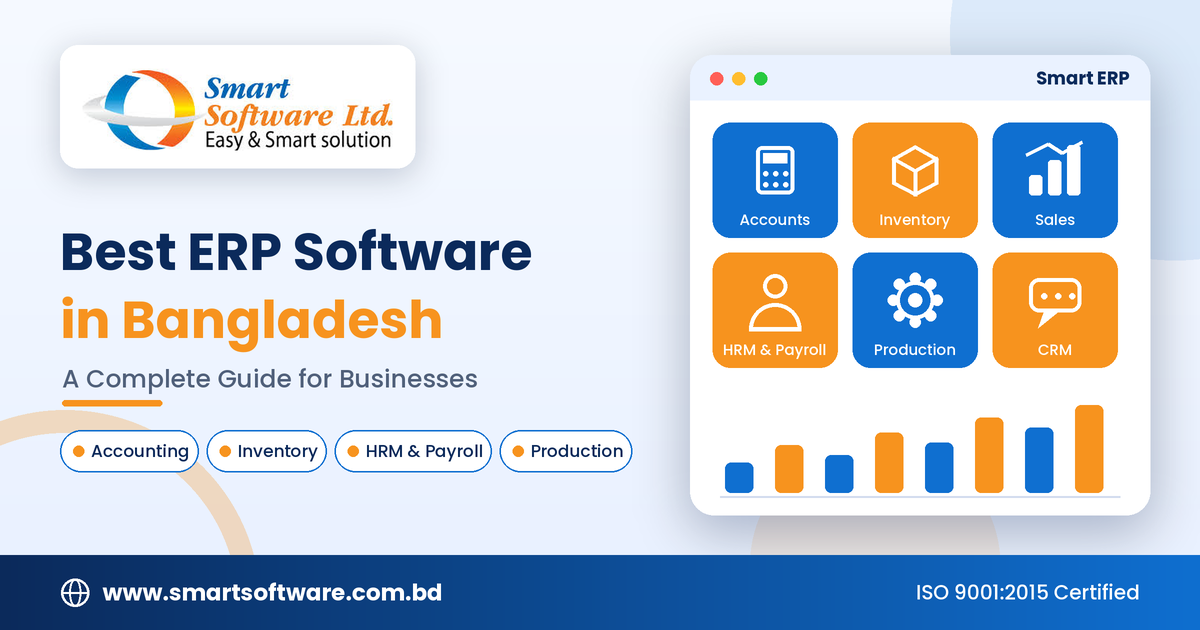
Best ERP Software in Bangladesh: A Complete Guide for Businesses
There's a point in every growing business where things start to slip. Stock in the warehouse doesn't match the sheet. Accounts are updated a week late. HR keeps attendance in one file and payroll in another, and the monthly report takes three people two days to put together. Nobody is doing anything wrong. The business has simply outgrown the way it's being managed.
That's usually the moment people start looking at ERP software. If you run a company in Bangladesh, whether it's manufacturing, garments, retail, distribution, or services, the right ERP can bring these scattered pieces into one system. This guide explains what ERP is, which features are worth paying attention to, how to choose a system without regrets, and where Smart Software Ltd fits in.
What Is ERP Software?
ERP stands for Enterprise Resource Planning. In simple terms, it's one business management system that connects the different parts of your company: accounts, inventory, purchasing, sales, HR, and more. Instead of five tools that don't talk to each other, you work from one shared set of data.
Here's a quick example. When a sale is recorded, a connected ERP can update the sales record, reduce the stock quantity, and reflect the transaction in your accounts, depending on how it's set up. You enter the information once instead of three times, and everyone sees the same numbers.
Modules You'll Commonly See in an ERP
- Accounting and financial management
- Inventory and warehouse management
- Sales and purchase management
- HRM, payroll, and attendance
- Production and manufacturing management
- Customer relationship management (CRM)
- Supply chain management
- Reporting and analytics
The exact list depends on the provider and the modules you choose, so don't assume every ERP includes everything.
Why Do Businesses in Bangladesh Need ERP Software?
When a business is small, one person can keep most things in their head. Add a second branch, a bigger team, or a few hundred more products, and that stops working. Here's what a good ERP helps with.
Less Manual Work
Typing the same data into several places wastes time and invites mistakes. ERP can automate supported workflows, so your team spends its energy on work that actually needs a person.
Clearer Finances
With transactions organized in one place, it's easier to track expenses, receivables, and payables, and to prepare reports. Managers get a better picture of how the business is really doing.
Better Control of Stock
This matters most for retail, wholesale, distribution, and manufacturing. An inventory module can track purchases, sales, and stock movement, and some systems also handle multiple warehouses.
Departments That Share Information
When sales, accounts, and the store each keep their own records, they eventually disagree. ERP gives every department the same source of truth.
Faster, Better Decisions
Reports and dashboards help you review sales, stock levels, and costs quickly. One caution: reports are only as good as the data going in, so consistent use of the system matters.
Room to Grow
A well-chosen system can handle more users, more branches, and more complex workflows as you expand.
Key Features to Look For in the Best ERP Software
The best ERP isn't the one with the longest feature list. It's the one that fits how your business actually works and comes with dependable support. Here's what to check.
1. Accounting and Financial Management
Look for a general ledger, accounts receivable and payable, income and expense tracking, vouchers, cash and bank management, trial balance, and profit and loss reports. If your business needs a standalone option, take a look at Smart Software's accounting software.
2. Inventory and Warehouse Management
If you buy, store, make, or sell products, this is essential. Check for stock tracking, purchase-linked updates, stock movement records, warehouse support, and inventory reports. A single shop and a multi-branch distributor need very different things here.
3. Sales and Purchase Management
Quotations, sales orders, invoices, purchase orders, supplier records, and delivery tracking should all be covered. When these connect to inventory and accounts, you stop re-entering the same data.
4. HRM and Payroll
A good HR module keeps employee records, attendance, leave, salary, and allowances in one place. Before you commit, check that its workflow matches your own payroll policies. You can read more about HRM software and payroll software to see how these modules work.
5. Production and Manufacturing
Manufacturers need to coordinate raw materials, schedules, labor, costs, and finished goods. Features like production planning, bill of materials, progress tracking, costing, quality control, and wastage monitoring are worth asking about.
6. CRM
Customer profiles, communication history, follow-ups, and sales opportunities keep your team organized. Combined with sales management, CRM helps you keep customer records tidy and avoid missed follow-ups.
7. Reporting and Analytics
Ask exactly which reports come out of the box (sales, purchases, stock, expenses, employee costs, production) and which need extra customization.
8. Cloud Access and Data Security
Cloud-based ERP lets authorized users work remotely, which is handy for owners and managers who aren't always in the office. Ask about user permissions, backups, data ownership, and recovery. Cloud access alone doesn't make a system secure. How the provider runs it matters just as much.
ERP for Different Industries
A system built for a retailer won't automatically suit a garment factory or a hospital. Here's how needs differ.
- Manufacturing: production planning, raw materials, procurement, costing, and quality control.
- Garments and textile: merchandising, orders, materials, production processes, and costing. See Smart Software's garments ERP software for an industry-focused option.
- Retail and distribution: connected sales, inventory, purchasing, and accounts. For shops, POS software is often the practical starting point.
- Import and export: supplier and buyer management, shipment tracking, foreign-currency transactions, and LC management.
- Service businesses: financial management, customer records, employee management, and project tracking.
Some organizations are better served by specialized software, such as hospital management or school management software, instead of a general ERP. Before you buy, ask which features come with the core product and which need separate modules or customization.
How to Choose the Right ERP Software in Bangladesh
An ERP is a long-term decision, so it's worth slowing down. Here's a simple process.
Step 1: Write Down Your Problems
Before you look at any product, list what's going wrong today:
- Which tasks take too much time?
- Where do data-entry mistakes happen?
- Which reports are hard to prepare?
- How are stock and finances managed right now?
- Which departments need to share information?
Rank them by impact. This list becomes your checklist later.
Step 2: Pick Only the Modules You Need
You don't have to start with everything. A small trading business might begin with accounts, inventory, sales, and purchasing. A manufacturer will likely add production and costing. Start with what you use, and keep room to expand.
Step 3: Look at the Provider, Not Just the Product
Check their experience, implementation approach, technical team, and support. Ask for a demo that uses your real business scenarios, not a generic walkthrough.
Step 4: Compare the Total Cost
The price tag is only part of the story. Count all of these:
- Licenses or subscriptions
- Implementation and configuration
- Data migration
- Customization and integrations
- Staff training
- Hosting, where it applies
- Maintenance and support
- Future upgrades
Get a written quotation that spells out what's included and what costs extra.
Step 5: Check Integration and Scalability
Your ERP may need to work with payment systems, e-commerce platforms, or other tools you already use. Discuss that early. Also ask whether the system can handle more users, branches, and products later.
Step 6: Ask About Security and Data Ownership
Find out how access is controlled, how backups work, and how you can export your data if you ever switch providers. Be clear on who owns the data.
Step 7: Understand Implementation and Support
Rolling out an ERP usually involves process changes, data preparation, configuration, testing, and training. Ask for a realistic plan with milestones, named responsibilities, and a clear way to raise issues.
Smart Software Ltd: ERP Solutions for Businesses in Bangladesh
Smart Software Ltd is a Bangladesh-based, ISO 9001:2015 certified software company that has been serving businesses since 2014. Its Smart ERP is built to connect finance, inventory, sales, human resources, payroll, procurement, and production management in one system. Our team also builds software for specific industries, along with custom development, websites, and mobile apps.
Smart ERP for Business Management
Depending on the modules you choose, Smart ERP can help you manage:
- Accounting and finance: organize transactions and get the reports you need.
- Inventory: track stock and inventory activity.
- Sales: manage customer orders and sales transactions.
- Purchasing: keep purchase activity and supplier records in order.
- HRM and payroll: manage employee information and supported HR workflows.
- Production: support production processes for businesses that need it.
- CRM and supply chain: coordinate customer and supply-chain activity where included.
Exact functions can vary by setup, so confirm them during a demonstration. You can read more about our ERP software solutions on the website.
Customized ERP Solutions
Every business runs a little differently. If a standard package doesn't cover your workflow, we also offer customized ERP solutions. Talk through your current process, the features you need, your reporting requirements, and what you expect from the rollout.
Other Business Software
Besides ERP, Smart Software lists products such as accounting, HRM, garments ERP, hospital management, school management, and point-of-sale software. Look at each one to see which fits your business best.
Not sure where to start? Contact Smart Software Ltd and request a demo based on your own requirements.
Common ERP Implementation Mistakes to Avoid
Even a strong ERP can disappoint when the rollout is rushed. Watch out for these.
Choosing Only on Price
A low upfront price may leave out modules, migration, training, or support. Compare total cost and features together.
Skipping Staff Training
If your team doesn't know how to use the system, they'll go back to spreadsheets. Plan training and keep simple documentation handy.
Moving Dirty Data
Wrong customer details, product records, opening balances, or stock counts will show up in your reports. Clean and verify data before it goes into the new system.
Customizing Too Much
Heavy customization raises costs and makes future maintenance harder. Try the standard features first and customize only what's truly essential.
Leaving Responsibilities Unclear
Decide who handles data preparation, testing, approvals, and day-to-day administration. Projects stall when nobody owns these tasks.
Not Measuring Results
Set your success goals before launch, such as less manual work, more accurate stock, faster reports, or better visibility into finances. Then review them after go-live.
Frequently Asked Questions (FAQ)
Which is the best ERP software in Bangladesh?
It depends on your industry, size, workflows, budget, and the modules you need. Compare providers through demonstrations and see how well each one handles your real scenarios.
How much does ERP software cost in Bangladesh?
Cost varies with modules, number of users, customization, implementation, integrations, hosting, training, and maintenance. Ask for a detailed quotation based on your needs.
Is ERP suitable for small businesses?
Yes. A small business can use ERP to organize accounts, inventory, sales, and purchasing. Just pick a system with the right features and a total cost you can manage.
What's the difference between ERP and accounting software?
Accounting software focuses on financial transactions and reporting. ERP connects accounting with other functions such as inventory, sales, purchasing, HR, and production, depending on the modules available.
Can ERP help manufacturing companies?
Yes. Manufacturing-focused ERP can support production planning, materials, inventory, costing, procurement, quality control, and finance. Verify that the product supports your own production process.
What should I check before buying ERP software?
Look at functionality, industry fit, total cost, implementation time, integrations, data security, scalability, training, and support. Ask for a demo and a written proposal before you commit.
Does Smart Software Ltd provide ERP software?
Yes. Smart Software Ltd offers Smart ERP and customized ERP solutions. Contact the team to confirm current modules, pricing, implementation arrangements, and support options.
How long does ERP implementation take?
It depends on complexity, data quality, number of modules, customization, integrations, and how ready your team is. A good provider will prepare a realistic plan after reviewing your requirements.
Final Thoughts
ERP software can help your business stay organized, cut repetitive work, and make decisions with better information. But there's no single "best" ERP for everyone. The right one fits your industry, your size, your workflows, and your long-term plans.
Define your requirements, compare features, look closely at the provider, understand the full cost, and make sure training and support are in place. If you're ready to explore options, visit Smart ERP or head to Smart Software Ltd and ask for a demonstration that matches your business.
 Best Jobs Site In Bangladesh - BDJobs Live. Best Online Recruitment Platform in Bangladesh
New Comment